
HP ProLiant DL360 Generation 5 Server Maintenance and Service Guide

Removal and replacement procedures 41
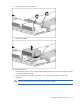
o
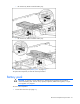
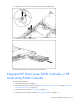
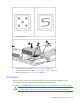
HP Smart Array E200i Controller battery tray
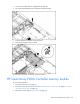
o HP Smart Array P400i Controller battery tray
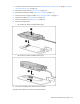
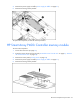
8. Remove the battery pack ("Battery pack" on page 41).
To replace the component, reverse the removal procedure.
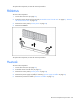
Battery pack
CAUTION: To prevent a server malfunction or damage to the equipment, do not add or
remove the battery pack while an array capacity expansion, RAID level migration, or stripe
size migration is in progress.
To remove the component:
1. Power down the server (on page 27).