
HP ProLiant DL360 Generation 5 Server Maintenance and Service Guide

Removal and replacement procedures 38
4.
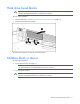
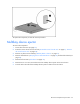
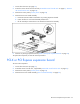
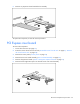
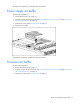
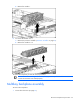
Remove the air baffle.
To replace the component, reverse the removal procedure.
Fan modules
The server has three fan modules ("Fan locations" on page 81).
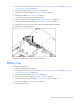
To remove a fan module:
1. Power down the server (on page 27).
2. Extend or remove the server from the rack ("Extend the server from the rack" on page 27, "Remove
the server from the rack" on page 28).
3. Remove the access panel ("Access panel" on page 28).
NOTE: The connectors of an installed fan module are tightly seated in the server. Pull firmly to
remove a fan module.
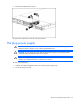
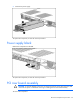
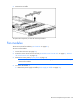
4. To remove fan module 1:
a. Remove the power supply air baffle ("Power supply air baffle" on page 37).