
ProLiant DL360 Generation 4p Server (SAS Model) Maintenance and Service Guide

Server component identification 39
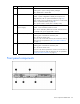
Item Description Status
2 UID button/LED Blue = Identification is activated.
Flashing blue = System is being remotely managed.
Off = Identification is deactivated.
3 Internal health LED Green = System health is normal.
Amber = System is degraded. To identify the component in a
degraded state, refer to "System board LEDs (on page 43)."
Red = System critical. To identify the component in a critical state,
refer to "System board LEDs (on page 43)."
Off = System health is normal (when in standby mode).
4
External health LED
(power supply)
Green = Power supply health is normal.
Amber = Power redundancy failure occurred.
Off = Power redundancy failure has occurred. When the server is
in standby mode, power supply health is normal.
5 NIC 1 link/activity LED Green = Network link exists.
Flashing green = Network link and activity exist.
Off = No link to network exists.
If power is off, view the LEDs on the RJ-45 connector for status by
referring to the rear panel LEDs ("Rear panel LEDs and buttons"
on page 41).
6 NIC 2 link/activity LED Green = Network link exists.
Flashing green = Network link and activity exist.
Off = No link to network exists.
If power is off, the front panel LED is not active. View the LEDs on
the RJ-45 connector for status by referring to the rear panel LEDs
("Rear panel LEDs and buttons" on page 41).
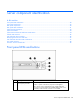
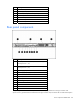
Front panel components