
ProLiant DL360 Generation 4p Server (SAS Model) Maintenance and Service Guide

Removal and replacement procedures 29
5.
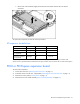
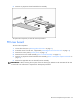
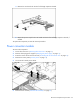
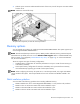
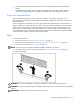
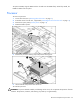
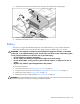
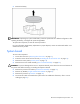
Remove the battery.
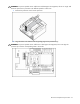
IMPORTANT: Replacing the system board battery resets the system ROM to its default configuration. After
replacing the battery, reconfigure the system through RBSU.
To replace the component, reverse the removal procedure.
For more information about battery replacement or proper disposal, contact an authorized reseller or an
authorized service provider.
System board
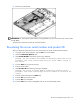
To remove the component:
1. Power down the server ("Powering down the server" on page 11).
2. Extend or remove the server from the rack ("Extending the server from the rack" on page 12).
3. Remove the access panel ("Access panel" on page 14).
4. Remove the PCI riser board assembly ("PCI riser board assembly" on page 20).
CAUTION: To prevent damage to the server or expansion boards, power down the server and remove all
AC power cords before removing or installing the expansion boards.
5. Remove the processor fan module ("Processor fan assembly" on page 19).
6. Remove any DIMMs ("Single- and dual-rank DIMMs" on page 25).
7. Remove the processors ("Processor" on page 26).
8. Disconnect all cables connected to the system board. For additional information, refer to "Server
cabling (on page 31)."