
ProLiant DL360 Generation 4p Server (SAS Model) Maintenance and Service Guide

Removal and replacement procedures 28
3.
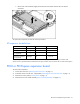
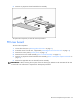
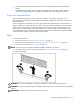
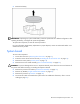
Install the processor and close the processor locking lever and processor retaining clips.
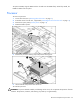
4. Rotate the baffle into position.
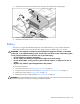
5. Install the access panel ("Access panel" on page 14).
Battery
If the server no longer automatically displays the correct date and time, you may need to replace the
battery that provides power to the real-time clock. Under normal use, battery life is 5 to 10 years.
WARNING: The computer contains an internal lithium manganese dioxide, a vanadium
pentoxide, or an alkaline battery pack. A risk of fire and burns exists if the battery pack
is not properly handled. To reduce the risk of personal injury:
• Do not attempt to recharge the battery.
• Do not expose the battery to temperatures higher than 60°C (140°F).
• Do not disassemble, crush, puncture, short external contacts, or dispose of in fire or
water.
• Replace only with the spare designated for this product.
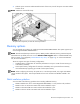
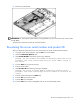
To remove the component:
1. Power down the server ("Powering down the server" on page 11).
2. Extend or remove the server from the rack ("Extending the server from the rack" on page 12).
3. Remove the access panel ("Access panel" on page 14).
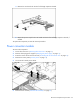
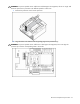
4. Remove the PCI riser board assembly ("PCI riser board" on page 22).
CAUTION: To prevent damage to the server or expansion boards, power down the server and remove all
AC power cords before removing or installing the expansion boards.