
ProLiant DL360 Generation 4p Server (SAS Model) Maintenance and Service Guide

Removal and replacement procedures 24
7.
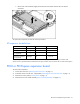
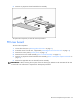
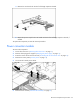
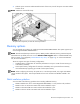
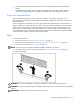
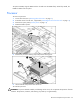
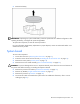
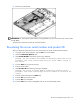
Slide the power converter module toward the back of the server, then lift the power converter module
from the server.
NOTE: Cables are removed for clarity.
To replace the component, reverse the removal procedure.
Memory options
You can expand server memory by installing PC2-3200 DDR2 SDRAM DIMMs. The system supports up to
six ECC Registered DDR2 SDRAM DIMMs.
NOTE: The Advanced Memory Protection option in RBSU provides additional memory protection beyond
Advanced ECC. By default, the server is set to Advanced ECC Support. Refer to "HP ROM-Based Setup
Utility (on page 34) (on page 48 ("HP ROM-Based Setup Utility" on page 34))," or on the Documentation
CD, for more information.
The server supports two types of memory configurations:
• Standard memory configuration for maximum performance with up to 12-GB of active memory (six
2-GB memory modules)
• Online spare memory configuration for maximum availability with up to 6-GB of active memory
while simultaneously supporting up to 6-GB of online spare memory
NOTE: When configuring the memory sub-system to run in Online Spare mode, only single rank DIMMs
can be installed in the system. Online Spare Mode will not work with dual rank DIMMs installed in the
system.
DIMM installation guidelines
You must observe the following guidelines when installing additional memory:
• DIMMs installed in the server must be Registered DDR2 DRAM, 2.5 volts, 64 bits wide, and ECC.
• DIMMs in slots 1A and 2A must match and must be installed as a pair.
• DIMMs in slots 3B and 4B must match and must be installed as a pair.
• DIMMs in slots 5C and 6C must match and must be installed as a pair.