
ProLiant DL360 Generation 4p Server (SAS Model) Maintenance and Service Guide

Removal and replacement procedures 22
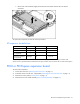
5.
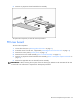
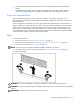
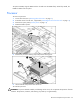
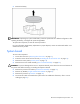
Remove any expansion board installed in the assembly.
To replace the component, reverse the removal procedure.
PCI riser board
To remove the component:
1. Power down the server ("Powering down the server" on page 11).
2. Extend the server from the rack, if applicable ("Extending the server from the rack" on page 12).
3. Remove the access panel ("Access panel" on page 14).
4. Remove the PCI riser board assembly ("PCI riser board assembly" on page 20).
5. Remove any expansion board installed in the assembly ("PCI-X or PCI Express expansion board" on
page 21).
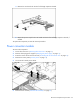
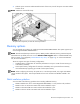
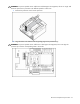
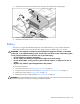
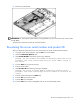
6. Remove the applicable PCI riser boards from the assembly:
IMPORTANT: When removing the two parts of the riser board, pay attention to the orientation of the slots
on each side. This information is important for subsequent procedures.