
HP ProLiant DL360 Generation 4p Server Maintenance and Service Guide

Removal and replacement procedures 32
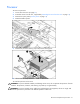
1.
Remove the protective cover from the processor.
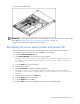
2. Align the holes in the heatsink with the guiding pegs on the processor cage.
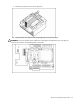
CAUTION: To prevent possible server malfunction or damage to the equipment, be sure to align the
processor pins with the corresponding holes in the socket.