
HP ProLiant DL360 Generation 4p Server Maintenance and Service Guide

Removal and replacement procedures 20
8.
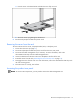
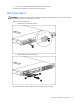
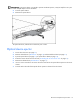
Remove the optical device ejector.
To replace the component, reverse the removal procedure.
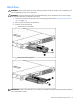
Hot-plug AC power supply
This procedure assumes that the server is configured with two power supplies.
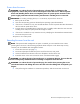
CAUTION: To prevent improper cooling and thermal damage, do not operate the server unless all bays
are populated with either a component or a blank.
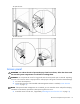
1. Perform one of the following:
• If a conventional cable management solution is in place, unfasten the cable management solution
to access the power supply bays.
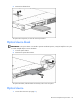
• If the cable management arm is in place, access the rear panel ("Accessing the product rear
panel" on page 13).
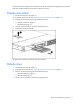
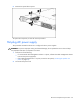
2. Disconnect the power cord.