
HP ProLiant DL360 Generation 4p Server Maintenance and Service Guide

Removal and replacement procedures 18
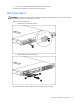
5.
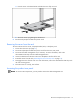
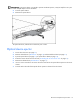
Remove the diskette drive.
To replace the component, reverse the removal procedure.
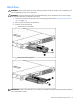
Optical device blank
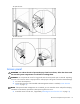
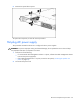
IMPORTANT: The ejector button is recessed to prevent accidental ejection; it may be helpful to use a pen
or similar shaped object to access the button.
1. Press the ejector button.
2. Remove the optical device blank.
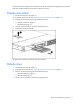
To replace the blank, slide the blank into the bay until it locks into place.
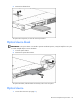
Optical device
1. Power down the server (on page 12).