
HP ProLiant DL360 Generation 4p Server Maintenance and Service Guide

Removal and replacement procedures 17
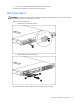
To replace the drive, slide the drive into the bay until the latch mechanism engages the server chassis,
then close the latch handle to lock the drive in the server chassis.
Diskette drive blank
1. Power down the server (on page 12).
2. Extend the server from the rack ("Extending the server from the rack" on page 12).
3. Remove one of the following from the left hard drive bay:
• Hard drive blank (on page 15)
• Hard drive (on page 16)
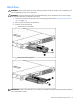
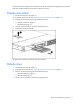
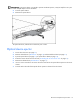
4. Use a T-10 Torx screwdriver to remove the locking screw.
5. Remove the diskette drive blank.
To replace the component, reverse the removal procedure.
Diskette drive
1. Power down the server (on page 12).
2. Extend the server from the rack. ("Extending the server from the rack" on page 12)
3. Remove one of the following from the left hard drive bay:
• Hard drive blank (on page 15)
• Hard drive (on page 16)
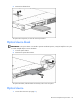
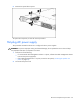
4. Use a T-10 Torx screwdriver to remove the locking screw.