
HP ProLiant DL360 Generation 4p Server Maintenance and Service Guide

Removal and replacement procedures 13
a.
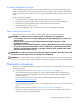
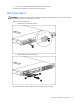
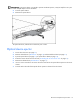
Press the server rail-release latches and slide the server fully into rack.
b. Secure the server by tightening the thumbscrews.
6. Reconnect the peripheral cables and power cords.
Removing the server from the rack
To remove the server from an HP, Compaq branded, telco, or third-party rack:
1. Power down the server (on page 12).
2. Disconnect all peripheral cables and power cords from the server rear panel.
3. Disconnect the cable management arm, if necessary. For more information, refer to the
documentation that ships with the cable management arm.
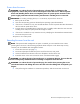
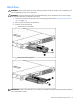
4. Loosen the thumbscrews that secure the server faceplate to the front of the rack.
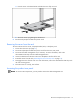
5. Extend the server from the rack ("Extending the server from the rack" on page 12).
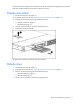
6. Disengage the server from the rack. For more information, refer to the documentation that ships with
the rack mounting option.
7. Place the server on a sturdy, level surface.
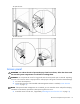
Accessing the product rear panel
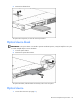
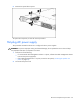
NOTE: To access some components, you may need to remove the cable management arm.