
ProLiant DL360 Generation 2 Server Maintenance and Service Guide

Diagnostic Tools
Compaq ProLiant DL360 Generation 2 Server Maintenance and Service Guide 4-3
COMPAQ CONFIDENTIAL Codename: Maisto Part Number: 233831-001 Last Saved On: 11/19/01 9:10 AM
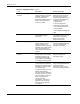
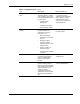
Table 4-1: Diagnostic Tools continued
Tool Description How to run the tool
Integrated Management Log
(IML)
A log of system events, such
as system failures or nonfatal
error conditions. View events
in the Integrated Management
Log from within:
• Compaq Insight
Manager XE
• Compaq Survey Utility
• OS-specific IML utilities
The Integrated Management
Log requires Compaq
operating system-dependent
drivers. Refer to Compaq
Support Software CD for
instructions on installing the
appropriate drivers.
ROM-Based Setup Utility
(RBSU)
RBSU configures the
hardware installed in or
connected to the server.
Specifically, it can:
• Store configuration
information in nonvolatile
memory
• Manage processor
upgrades, network
interface cards and mass
storage devices
• Assist in installing an
operating system
• Configure ports and IRQs,
if required
Run RBSU by pressing the F9
key during POST
ROMPaqä Utility
The ROMPaq Utility checks
the system and provides a
choice of available ROM
revisions and controller
firmware.
Run this utility from the
SmartStart CD.
SmartStart Diskette Builder The SmartStart Diskette
Builder is a utility that uses
data stored on the SmartStart
CD to create support diskettes.
Support diskettes can be
created for specific
configuration needs or for
software that cannot be used
directly from the SmartStart
CD.
Run the diskette builder tool
from the SmartStart CD.