
ProLiant DL360 Generation 2 Server Maintenance and Service Guide

Removal and Replacement Procedures
Compaq ProLiant DL360 Generation 2 Server Maintenance and Service Guide 2-21
COMPAQ CONFIDENTIAL Codename: Maisto Part Number: 233831-001 Last Saved On: 12/12/01 3:47 PM
Expansion Board Slot 2
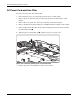
To remove an expansion board in slot 2:
1. Power down the server. See “Powering Down the Server” earlier in this chapter.
2. Remove the server from the rack. See “Removing the Server from the Rack” in this
chapter.
3. Remove the access panel. See “Server Access Panel” earlier in this chapter.
4. Remove the PCI riser board assembly. See “PCI Riser Board Assembly” earlier in this
chapter.
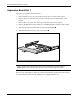
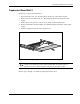
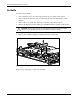
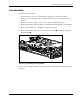
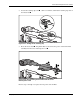
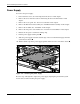
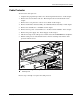
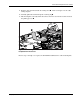
5. Slide the expansion board out of the expansion slot.
Figure 2-17: Removing an expansion board from slot 2
CAUTION: Always ensure that an expansion board or expansion slot cover is installed before
powering up and operating the server. Failure to install either an expansion board or
expansion slot cover can lead to improper cooling and may damage the system.
Reverse steps 1 through 5 to install an expansion board into slot 2.