
ProLiant DL360 G2 Server High-Density Deployment

ProLiant DL360 G2 Server High-Density Deployment 35
Installing Power Distribution Units
PDU installation varies depending on the rack configuration, the number of servers deployed in
the rack, the selected type of PDU, as well as the voltage and current rating for each PDU. For
information on Modular or Dual Input PDUs, refer to the information located on the website at:
www.compaq.com/ups
Routing Power Cords
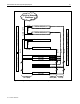
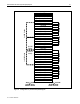
Use the following general procedures to route server power cords in 36U, 42U, and 47U racks.
IMPORTANT: When installing server power cords into the PDUs, ensure that the load is
balanced among the output circuit breakers.
Power Cords
To route and connect power cords:
IMPORTANT: Route and connect the power cord to the PDU after the server is installed.
1. Connect the power cord to the server first and route it through the cable management system
with the other server cables.
2. Route the power cord inside the rear rack support to the PDU.
IMPORTANT: In 7000-series racks, route the power cables from the servers to the PDUs
through the gap in the rear of the rack rail.
High-Voltage Y-Cables
To route high-voltage Y-cables:
1. Connect the single-cord section of the Y-cable to the PDU installed on the same side as the
cable management tray.
2. Align the Y-joint with the rear rack support and center it between the rack rails of the two
servers that the Y-cable supports.
3. Use two plastic tie wraps to secure the Y-joint to the rack support.
4. After installing the servers, connect the cables to the servers and route them through the cable
management system with the other server cables.
Installing the Rack Rails
The following procedure describes how to install the standard rack rails onto the rack. The rails
are designed to snap in place without screws or nuts.
1. Remove the server rails from the left and right standard rails.
2. Insert the rails into the rack holes.
3. Insert the server into the rack.
4. Install the cable management arm.
5. Cable and power up the server.
1713-0702A-WWEN