
Compaq ProLiant DL360 Generation 2 Server Setup and Installation Guide


4-6 Compaq ProLiant DL360 Generation 2 Server Setup and Installation Guide
Compaq Confidential – Need to Know Required
Writer: Ed Giblin Project: Compaq ProLiant DL360 Generation 2 Server Setup and Installation Guide Comments:
Part Number: 233832-001 File Name: e-ch4 Server Installation.doc Last Saved On: 8/31/01 11:42 AM
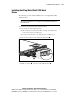
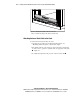
6. Using the previously installed template, identify the front holes to be
used for securing the front alignment pins of the universal rack rail.
7. Carefully line up the two alignment pins on the front of the universal
rack rail with the holes at the front of the rack.
IMPORTANT: Ensure that inner side of the universal rack rail (fixed rail) faces the inside
of the rack.
8. Insert the front alignment pins of the universal rack rail into the rack.
9. Compress the universal rack rail toward the front of the rack, until the
rear alignment pins line up with the inner holes on the vertical support at
the rear of the rack.
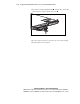
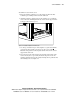
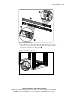
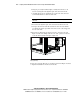
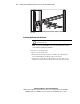
10. Insert the rear alignment pins into the rear holes, and release the rail,
Figure 4-5. Move the sliding rail-lock to the ‘lock’ position to hold and
secure the universal rack rail in place, Figure 4-6.
Figure 4-5. Aligning the rear alignment pins of the fixed rack rail with the rear
holes (rear view)
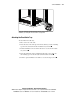
Repeat steps 2 through 10 for the second universal rack rail. Figure 4-6 shows
a completed installation of the universal rack rails.