
Compaq ProLiant DL360 Generation 2 Server Setup and Installation Guide


Server Installation 4-3
Compaq Confidential – Need to Know Required
Writer: Ed Giblin Project: Compaq ProLiant DL360 Generation 2 Server Setup and Installation Guide Comments:
Part Number: 233832-001 File Name: e-ch4 Server Installation.doc Last Saved On: 8/31/01 11:42 AM
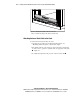
To mark the location for the server:
1. Place the template against the rear vertical support rails in the first
available space working from the bottom of the rack.
2. Align the template so that the sides of the template are even with the
sides of the rack. Small alignment holes on the vertical support rails of
Compaq racks indicate U-spaces.
1
1
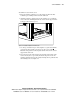
Figure 4-1. Using the template to mark the rack
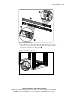
3. Use the top and bottom edges of the template as a guide and mark the
vertical rack supports with a pencil to locate the server position
.
Match the hole patterns on the template with the holes on the vertical
support rails of the rack.
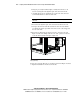
4. Go to the front of the rack and place the template at the bottom of the
rack or directly above a previously mounted component. Secure the
template against the front of the rack by inserting the two push tabs into
the mounting holes. See Figure 4-2.