
Compaq ProLiant DL360 Generation 2 Server Setup and Installation Guide



Installing Hardware Options 3-35
Compaq Confidential – Need to Know Required
Writer: Ed Giblin Project: Compaq ProLiant DL360 Generation 2 Server Setup and Installation Guide Comments:
Part Number: 233832-001 File Name: d-ch3 Installing Hardware Options.doc Last Saved On: 8/31/01 11:44 AM
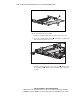
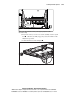
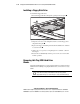
To remove a hard drive blank:
1. Press and hold the locking button
.
2. Pull the blank out of the drive bay
.
1
2
Figure 3-32. Removing a hard drive blank
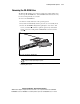
To install a blank, simply align the blank with the empty bay and push the
blank inward until the locking button engages.
Guidelines for Installing Hot-Plug Wide
Ultra3 SCSI Hard Drives
The ProLiant DL360 G2 server contains two drive bays for internal mass
storage devices. The server ships standard with two 1-inch hot-plug drive
cages. The following sections provide general guidelines and installation
procedures for upgrading the hot-plug SCSI hard drives.
CAUTION: Read the “Hot-plug Hard Drive Replacement Guidelines” in the
Compaq Servers Troubleshooting Guide before removing a hard drive.
When adding SCSI hard drives to a ProLiant DL360 G2 server, observe the
following:
■ Each SCSI drive connected to the same SCSI controller must have a
unique address. The system automatically sets all SCSI addresses.
Drives are shipped with jumpers set to ID0 to allow the system to detect
the drives and assign the proper ID. See Appendix D “Switches and
Jumpers” for further details.