
HP ProLiant DL320s Server User Guide

Hardware options installation 36
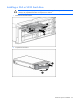
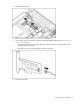
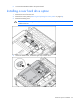
3. Remove the battery pack.
4. Remove the upper tray ("Removing the upper tray" on page 27).
5. If the existing cache is connected to a battery, observe the BBWC Status LED ("Battery-backed write
cache LEDs" on page 16).
o If the LED is blinking every 2 seconds, data is still trapped in the cache. Restore system power,
and repeat the previous steps.
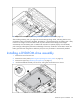
o If the LED is not lit, disconnect the battery cable from the cache.
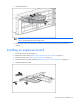
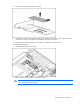
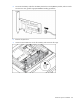
6. Remove the controller.