Hardware options installation 33
Installing a SAS or SATA hard drive
CAUTION: To prevent improper cooling and thermal damage, do not operate the server unless
all bays are populated with either a component or a blank.
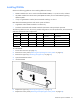
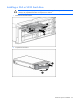
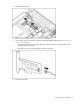
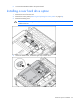
1. Remove the hard drive blank.
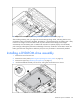
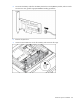
2. Prepare the hard drive.