
ProLiant DL320 Setup and Installation Guide

4-6 Compaq ProLiant DL320 Setup and Installation Guide
Compaq Confidential – Need to Know Required
Writer: Gilbert Saldivar Project: Compaq ProLiant DL320 Setup and Installation Guide Comments:
Part Number: 203836-001 File Name: e-ch4 Installing the Server.doc Last Saved On: 8/23/00 4:07 PM
Attaching the Fixed Rack Rails to the Rack
Use the following procedures to attach the fixed rack rails to the rack:
1. Complete the procedures for measuring with the template. See
“Measuring with the Template” earlier in this chapter.
2. Move to the rear of the rack.
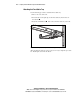
3. Identify the front holes you will use to secure the front tabs of the fixed
rack rail.
IMPORTANT: Ensure that the inner side of the fixed rack rail (rail guide) faces the inside
of your rack.
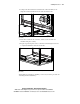
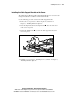
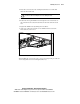
4. Carefully align the two front tabs on the front of the fixed rack rail with
the holes identified at the front of the rack.
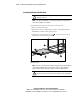
NOTE: 1U of space is left empty in the drawing for clarity purposes. The ProLiant DL320
server should be installed in every U from the bottom of the rack. This arrangement
provides maximum density. Work from the bottom of the rack up, filling all spaces.
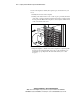
Figure 4-3. Aligning and inserting the fixed rack rail (rear view)
5. Insert the front tabs of the fixed rack rail into the rack.