
ProLiant DL320 Setup and Installation Guide

Installing the Server 4-3
Compaq Confidential – Need to Know Required
Writer: Gilbert Saldivar Project: Compaq ProLiant DL320 Setup and Installation Guide Comments:
Part Number: 203836-001 File Name: e-ch4 Installing the Server.doc Last Saved On: 8/23/00 4:07 PM
Server Installation Procedures
To install your rack-mounted server into a Compaq rack, complete the
procedures described in the following subsections:
1. Measuring with the template
2. Attaching the fixed rack rails to the rack
3. Attaching the fixed cable tray
4. Inserting the server into the rack
CAUTION: When using a Compaq Series 7000 rack, you must install the high
air flow rack door to provide proper front-to-back airflow and cooling.
Measuring with the Template
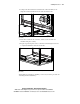
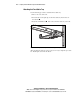
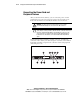
The rack template provides an easy and reliable way to properly position the
fixed rack rails in the rack.
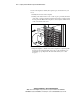
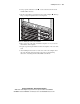
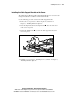
Using the template, you can identify the proper holes for inserting the tabs on
the fixed rack rails. You can use a pencil to mark the top and bottom edges of
the template against the rack supports, identifying where the server fits and
providing a starting point for installing the next unit.
CAUTION: Always mount the heaviest item on the bottom of the rack, and work
from the bottom to the top.
IMPORTANT: Determine the server’s place in the rack before you start installing the
fixed rack rails. To remind you of the proper placement of the server in the rack, refer to
the Rack Builder report you printed when you planned your rack configuration.
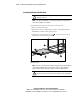
IMPORTANT: The template is two-sided (front and back) and printed with arrows that
show you where items will be inserted, both for the fixed rack rails and for the
thumbscrews that will secure the server faceplate to the front of the rack.