
ProLiant DL320 Setup and Installation Guide

4-2 Compaq ProLiant DL320 Setup and Installation Guide
Compaq Confidential – Need to Know Required
Writer: Gilbert Saldivar Project: Compaq ProLiant DL320 Setup and Installation Guide Comments:
Part Number: 203836-001 File Name: e-ch4 Installing the Server.doc Last Saved On: 8/23/00 4:07 PM
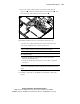
3. Install a PCI expansion board.
See Chapter 3, “Installing Hardware Options.” Refer to the option kit
documentation for detailed instructions.
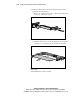
4. Install other options.
Other options include additional memory, hard drives, expansion
boards, and external storage devices. See Chapter 3, “Installing
Hardware Options.” Refer to the individual option kits for detailed
instructions. Before you run the System Configuration Utility, install
hardware options (with the exception of additional memory and most
PCI boards). The System Configuration Utility is run during the
SmartStart portion of the installation sequence.
IMPORTANT: Do not attempt to change the factory settings for reserved switches.
Inaccurate settings can seriously degrade system performance.
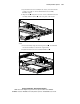
5. Set internal switches, if necessary. For detailed information on relevant
switches, see Appendix D, “Status Indicators and Switches.”
6. Use the rack template to identify the proper location for server
installation. See “Measuring with the Template,” later in this chapter.
7. Install the fixed rack rails. See “Attaching the Fixed Rack Rails to the
Rack,” later in this chapter.
8. Install the fixed cable tray for managing cables on the server rear panel.
These cables include keyboard, mouse, monitor, network, and power
cables. See “Attaching the Fixed Cable Tray,” later in this chapter.
9. Mount the server in the rack. See “Inserting the Server into the Rack,”
later in this chapter.
10. Connect the power cord and peripheral devices. See “Connecting the
Power Cord and Peripheral Devices,” later in this chapter.
11. Secure the power cord and peripheral device cables in the fixed cable
tray. See “Securing the Cables in the Fixed Cable Tray,” later in this
chapter.