
ProLiant DL320 Setup and Installation Guide

3-16 Compaq ProLiant DL320 Setup and Installation Guide
Compaq Confidential – Need to Know Required
Writer: Gilbert Saldivar Project: Compaq ProLiant DL320 Setup and Installation Guide Comments:
Part Number: 203836-001 File Name: d-ch3 Installing Hardware Options.doc Last Saved On: 8/23/00 4:00 PM
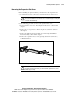
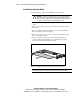
You must observe the following guidelines when installing additional
memory:
■ DIMMs installed in the ProLiant DL320 server must be 133-MHz
registered SDRAM, 3.3 V, 72 bits wide, and ECC.
■ All DIMMs installed must be the same speed. Do not install DIMM
modules supporting different speeds. For example, you should not
install DIMM modules supporting speeds of 133 MHz and 100 MHz.
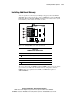
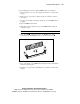
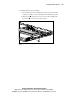
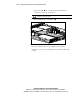
■ To facilitate successive DIMM installations, install the DIMMs in
sequential order, starting with DIMM socket 1.
CAUTION: Use only Compaq DIMMs. DIMMs from other sources can adversely
affect data integrity.
The following table lists DIMM option kits.
Table 3-3
DIMM Option Kit Part Numbers
Part Numbers DIMM Option Kit Description
128276-B21 64-MB option kit
128277-B21 128-MB option kit
128278-B21 256-MB option kit
128279-B21 512-MB option kit
CAUTION: Electrostatic discharge can damage electronic components. Be sure
you are properly grounded before beginning any installation procedure. See
Appendix B, “Electrostatic Discharge,” for more information.