
ProLiant DL320 Setup and Installation Guide

3-4 Compaq ProLiant DL320 Setup and Installation Guide
Compaq Confidential – Need to Know Required
Writer: Gilbert Saldivar Project: Compaq ProLiant DL320 Setup and Installation Guide Comments:
Part Number: 203836-001 File Name: d-ch3 Installing Hardware Options.doc Last Saved On: 8/23/00 4:00 PM
3. Press the Front Unit Identification switch on the server front panel. A
blue LED illuminates on the server’s front
and rear panels.
4. Press the server Power On/Off switch to power down the server. The
Power LED
deactivates.
2 4
3
1
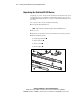
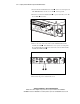
Figure 3-1. Using the Power On/Off switch to power down the server
5. Move to the rear of the rack, and locate the illuminated Rear Unit
Identification LED
that identifies the server you are servicing. The
Rear Unit Identification LED is located in the center of the Rear Unit
Identification LED switch
.
1 2
Figure 3-2. Locating the Rear Unit Identification LED switch
6. Disconnect the power cord from the server.