
ProLiant DL320 Setup and Installation Guide

3-2 Compaq ProLiant DL320 Setup and Installation Guide
Compaq Confidential – Need to Know Required
Writer: Gilbert Saldivar Project: Compaq ProLiant DL320 Setup and Installation Guide Comments:
Part Number: 203836-001 File Name: d-ch3 Installing Hardware Options.doc Last Saved On: 8/23/00 4:00 PM
CAUTION: Always ensure that equipment is properly grounded before beginning
any installation procedure. Electrostatic discharge resulting from improper
grounding can damage electronic components. For more information, refer to
Appendix B, “Electrostatic Discharge.”
Hardware Option Procedures
This chapter includes step-by-step instructions for the following items:
■ Preparing the server
G Powering down the server
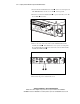
G Removing the access panel
G Removing the shipping/ejector key
G Removing the PCI riser board assembly
G Removing the center wall
G Identifying system board components
G Installing the center wall
G Installing the access panel
■ Installing additional memory
■ Installing an expansion board
G Identifying the expansion slot
G Removing the expansion slot cover
G Installing the expansion board
■ Installing the Compaq Remote Insight Lights-Out Edition (optional)
■ Installing a CD-ROM/diskette drive assembly (optional)
■ Removing a CD-ROM/diskette drive assembly (optional)
■ Installing ATA hard drives
■ Installing SCSI hard drives
■ Installing a Compaq Smart Array controller (SCSI drives internal)
■ Installing a Compaq Smart Array controller in a System with ATA
drives