
ProLiant DL320 Setup and Installation Guide

Planning the Server Installation 2-7
Compaq Confidential – Need to Know Required
Writer: Gilbert Saldivar Project: Compaq ProLiant DL320 Setup and Installation Guide Comments:
Part Number: 203836-001 File Name: c-ch2 Planning the Server Installation.doc Last Saved On: 8/23/00 3:47 PM
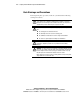
Server Warnings and Precautions
Before beginning these procedures, make sure you understand the following
warnings and cautions:
WARNING: To reduce the risk of personal injury from hot surfaces, allow the
drives and the internal system components to cool before touching them.
WARNING: To reduce the risk of electric shock or damage to the equipment:
■ Do not disable the power cord grounding plug. The grounding plug is an
important safety feature.
■ Plug the power cord into a grounded (earthed) electrical outlet that is
easily accessible at all times.
■ Unplug the power cord from the power supply to disconnect power to the
equipment.
CAUTION: Protect the server from power fluctuations and temporary
interruptions with a regulating uninterruptible power supply (UPS). This device
protects the hardware from damage caused by power surges and voltage spikes
and keeps the system in operation during a power failure.
CAUTION: Always operate the Compaq ProLiant DL320 server with the system
access panel closed. The server cannot be properly cooled when the system
access panel is removed.