
ProLiant DL320 Setup and Installation Guide

Server Features 1-13
Compaq Confidential – Need to Know Required
Writer: Gilbert Saldivar Project: Compaq ProLiant DL320 Setup and Installation Guide Comments:
Part Number: 203836-001 File Name: b-ch1 Server Features.doc Last Saved On: 8/23/00 3:45 PM
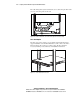
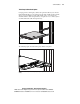
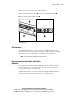
Figure 1-9 shows the locations of the following items:
■ Front unit identification switch and front unit identification LED
■ Rear unit identification LED switch
2
1
3
Figure 1-9. Locating the front (left) and rear (right) unit identification switches
and LED indicators
LED Indicators
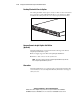
The ProLiant DL320 server contains several sets of LEDs that indicate the
status of hardware components and settings. For a detailed explanation of LED
status and locations, see Appendix D, “Status Indicators and Switches.”
NOTE: The unit identification LED indicators illuminate blue.
Compaq Remote Insight Lights-Out Edition
(Optional)
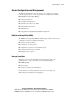
The Compaq Remote Insight Lights-Out Edition option is a PCI-based board
that provides remote server management, regardless of the state of the host
server operating system or the host CPU.
A built-in Intel i960 processor allows the Remote Insight Lights-Out Edition
module to work independently of the host server operating system.