
ProLiant DL320 Setup and Installation Guide
1-12 Compaq ProLiant DL320 Setup and Installation Guide
Compaq Confidential – Need to Know Required
Writer: Gilbert Saldivar Project: Compaq ProLiant DL320 Setup and Installation Guide Comments:
Part Number: 203836-001 File Name: b-ch1 Server Features.doc Last Saved On: 8/23/00 3:45 PM
Compaq Insight Manager
Compaq Insight Manager, which is loaded from the Compaq Management CD,
is an easy-to-use software utility for collecting server information. Compaq
Insight Manager performs the following functions:
■ Forwards server alerts and fault conditions
■ Monitors fault conditions and server performance
■ Controls server security and configuration
■ Remotely controls the server
■ Initiates rapid recovery services
Automatic Server Recovery (ASR)
Automatic Server Recovery (ASR) enables the server to boot automatically
from either the operating system or the Compaq Utilities. If a critical system
failure occurs, ASR automatically restarts the server and pages a designated
system administrator.
For additional information on the ASR feature, refer to the Documentation CD
that shipped with your server.
Unit Identification Switches (Front and Rear)
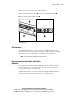
Each ProLiant DL320 server has two unit identification switches, one on the
front of the server and one on the back of the server. When activated from
either the front or the rear of the server, the unit identification switches
illuminate both the front and rear unit identification LEDs to provide a visual
reference for service personnel.
When moving between the front and rear of a rack filled with ProLiant DL320
servers, you can use the unit identification switches to quickly identify one or
more ProLiant DL320 servers that require service or maintenance.