
ProLiant DL320 Setup and Installation Guide
Index 17
Compaq Confidential – Need to Know Required
Writer: Gilbert Saldivar Project: Compaq ProLiant DL320 Setup and Installation Guide Comments:
Part Number: 203836-001 File Name: x-index.doc Last Saved On: 8/25/00 3:41 PM
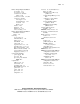
trays See hard drive trays. See
cable tray, fixed
troubleshooting
connection problems E-4, E-5,
E-6
how to diagnose problems E-3
memory C-4
nonvolatile RAM (NVRAM)
problems E-5
power problems E-4, E-5, E-6
power supply problems E-4,
E-5, E-6
processor power module
problems E-4, E-5, E-6
processor problems E-4, E-5,
E-6
ROM problems E-5
steps to take E-2, E-3
system interconnect
problems E-4, E-5, E-6
video problems E-7
when to clear NVRAM E-5
when to replace
components See
replacement guidelines
when to run ROMPaq disaster
recovery E-5
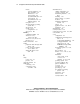
U
uninterruptible power supply
(UPS), protecting server 2-7
unit identification switches
defined 1-12 to 1-13
LEDs
front 3-4, 4-20, D-2
rear 3-4, 4-20, D-3
locations
front panel 1-13
rear panel 1-13
unlocking the center wall 3-10
unpacking the rack server 2-8
upgrading DIMM option kits 3-16
USB 1 connector F-4
USB 2 connector F-4
USB connectors 4-13
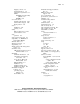
utilities
Compaq Diagnostic
Utility 6-14
Compaq Survey Utility 7-3
ROM-Based Setup Utility
(RBSU) 6-2
ROMPaq 6-6
server 6-1
Utility Language menu 6-6
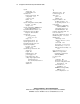
V
vanadium pentoxide battery
warning A-7
ventilation, rack door 2-4
video
connectors 4-13
for Remote Insight Lights-Out
Edition 3-25
location F-4
size restrictions 3-26
Installing Rack Products 2-5
maximum resolution 1-6
memory 1-6
problem diagnosis E-7
restrictions for Remote Insight
Lights-Out Edition 3-25
support 1-6
viewing
event list 7-2
Integrated Management Log
(IML) 7-1
voltage rating A-8