
ProLiant DL320 Setup and Installation Guide
Index 13
Compaq Confidential – Need to Know Required
Writer: Gilbert Saldivar Project: Compaq ProLiant DL320 Setup and Installation Guide Comments:
Part Number: 203836-001 File Name: x-index.doc Last Saved On: 8/25/00 3:41 PM
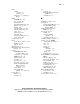
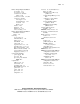
Remote Insight Lights-Out Edition
as a feature 1-13
as an option 1-10
connector for, standard
feature 1-10
connector, location 3-12, F-5
connectors, external
AC adapter 3-25
keyboard/mouse 3-25
locations 3-25
RJ-45 3-25
features 1-10
functions 3-23
LAN access 3-27
video, rerouting 3-25
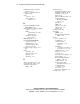
Remote Insight Lights-Out Edition
Installation and User
Guide 3-23
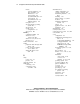
removing
access panel 3-5
ATA hard drives 3-49
battery G-2
bezel blank 3-28
center wall 3-9
expansion slot cover 3-19
hard drive trays 3-35, 3-39
ISA extender bracket 3-20
PCI riser board assembly 3-8
server from the rack 4-20
shipping/ejector key 3-7
replacement guidelines
power supply E-5
processor E-7
processor power module
(PPM) E-7
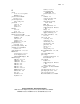
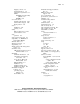
requirements
airflow, rack 2-4
current load 2-2
grounding, rack 2-3
National Electric Code 2-2
power load 2-2
power, rack 2-2
space, rack 2-2
temperature 2-3
resources See documentation. See
guides. See CDs
Automatic Server Recovery
(ASR) E-2
Compaq Insight Manager E-2,
E-8
configure-to-order software
problems E-10
factory-installed software
problems E-10
ROM-Based Setup Utility
(RBSU) E-9
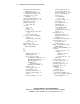
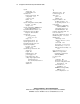
retainers, PCI riser board
assembly 3-21
RFI/EMI connector hoods A-3
riser board See PCI riser board
assembly
RJ-45 connectors 3-25, 4-13
features 1-4
standard, location F-4
ROM
features 1-6
problem diagnosis E-5
ROMPaq disaster
recovery E-5, E-9
setup utility E-9
troubleshooting problems E-9
ROM-Based 6-2
ROM-Based Setup Utility (RBSU)
configuration activities 1-11
configuring and managing
server with 1-11
establishing security
with 1-14
ROM-Based Setup Utility (RBSU)
configuration activities 6-2
diagnostics E-9
how to access E-9
menu selections 6-3