
ProLiant DL320 Setup and Installation Guide
E-8 Compaq ProLiant DL320 Setup and Installation Guide
Compaq Confidential – Need to Know Required
Writer: Gilbert Saldivar Project: Compaq ProLiant DL320 Setup and Installation Guide Comments:
Part Number: 203836-001 File Name: m-appe Troubleshooting.doc Last Saved On: 8/23/00 4:21 PM
Server Operation Problems
Once your server has passed the Power-On Self-Test, you may still encounter
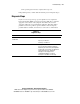
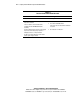
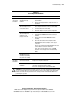
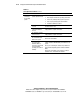
errors, such as an inability to load your operating system. Use Table E-6 to
troubleshoot server installation problems that occur after the initial startup.
For updated information on supported operating systems, log on to the
Internet:
http://www.compaq.com
NOTE: If the server is power cycling, verify that the system is not restarting because of an
Automatic Server Recovery (ASR) power-up caused by another problem. Check Compaq
Insight Manager for notification of this event. See Chapter 6 for more information.
Refer to the Compaq Servers Troubleshooting Guide for the following:
■ Information you will need to (1) collect when diagnosing software
problems and (2) provide when contacting support
■ Instructions on how to upgrade your operating system and its drivers,
what recovery options are available, and advice on minimizing
downtime