
ProLiant DL320 Setup and Installation Guide
D-10 Compaq ProLiant DL320 Setup and Installation Guide
Compaq Confidential – Need to Know Required
Writer: Gilbert Saldivar Project: Compaq ProLiant DL320 Setup and Installation Guide Comments:
Part Number: 203836-001 File Name: l-appd Status Indicators and Switches.doc Last Saved On: 8/22/00 7:03 PM
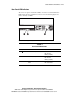
Setting the NIC Operating Mode
ProLiant DL320 servers include two embedded Compaq NC3163 Fast
Ethernet NICS10/100 Wake-On-LAN. You do not need to set the NIC
operating modes because the controllers automatically differentiate between
the 10-Mbit and 100-Mbit environments.
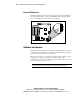
Setting Hard Drive Jumpers
The ProLiant DL320 server contains two drive bays for internal mass storage
devices. The server ships standard with two 1-inch drive trays. The following
sections provide general guidelines and installation procedures for upgrading
the hard drives.
ATA Hard Drives
When installing ATA hard drives to your ProLiant DL320 server, observe the
following general guidelines:
■ Do not add more than two ATA devices per channel. ProLiant DL320
servers have one accessible ATA channel.
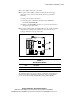
■ Set the jumpers on both ATA drives to Cable-Select mode. Doing so
enables the ATA controller cable to set a unique address, such as
Device 0 or Device 1, for each hard drive.
NOTE: Refer to the documentation shipped with your hard drive to determine how to set
the jumpers on your ATA hard drives to Cable-Select mode.
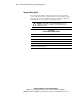
NOTE: Device 0 is always the boot drive.