
ProLiant DL320 Setup and Installation Guide

D-8 Compaq ProLiant DL320 Setup and Installation Guide
Compaq Confidential – Need to Know Required
Writer: Gilbert Saldivar Project: Compaq ProLiant DL320 Setup and Installation Guide Comments:
Part Number: 203836-001 File Name: l-appd Status Indicators and Switches.doc Last Saved On: 8/22/00 7:03 PM
Clearing and Resetting System Password Settings
It may be necessary at some time to clear and reset the system password.
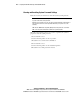
IMPORTANT: This method of clearing and resetting system passwords is only necessary
if you do not know the current password.
Otherwise, when prompted, you can enter the password followed by a forward slash "/."
This operation removes the current password and allows you to perform one of the
following:
■ Enter the ROM-Based Setup Utility (RBSU) and set the password to a new value.
■ Leave the password value blank to disable the password feature.
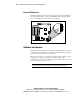
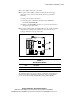
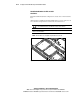
When the system switch position 1 is set to the on position, the system is
prepared to clear the system password.
1. Power down the server.
2. Set the switch at position 1 to the on position.
3. Restart the server, and wait for confirmation.
4. Power down the server.
5. Set the switch at position 1 to the default off position.
6. Restart the server. The password is cleared.