
ProLiant DL320 Setup and Installation Guide
Compaq Confidential – Need to Know Required
Writer: Gilbert Saldivar Project: Compaq ProLiant DL320 Setup and Installation Guide Comments:
Part Number: 203836-001 File Name: l-appd Status Indicators and Switches.doc Last Saved On: 8/22/00 7:03 PM
Appendix D
Status Indicators and Switches
Status Indicators
The ProLiant DL320 server contains the following sets of LED indicators,
which indicate the status of hardware components and settings:
■ Front panel LED indicators
■ Rear panel LED indicators
■ Internal LED indicators
Use the following sections to determine the location and status of LEDs on
your ProLiant DL320 server.
Front Panel LED Indicators
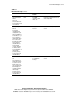
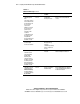
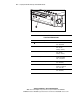
The set of seven LEDs on the front of the server indicates server status. The
following figure and table identify and describe the location and function of
the LEDs.