
ProLiant DL320 Setup and Installation Guide

6-6 Compaq ProLiant DL320 Setup and Installation Guide
Compaq Confidential – Need to Know Required
Writer: Gilbert Saldivar Project: Compaq ProLiant DL320 Setup and Installation Guide Comments:
Part Number: 203836-001 File Name: g-ch6 Server Configuration and Utilities.doc Last Saved On: 8/24/00 6:07 PM
Utility Language
The Utility Language option is used to set the language in which the RBSU
displays. The user has the following choices:
■ English
■ Spanish
■ German
■ French
■ Italian
■ Japanese
ROMPaq
Using Flash ROM utility option in Compaq servers allows the firmware or
ROM to be upgraded with system or option ROMPaq utilities. To upgrade the
ROM, insert a ROMPaq diskette into the diskette drive and power up the
system.
The ROMPaq Utility checks the system and provides a choice of ROM
revisions to which the system can be upgraded. This procedure is the same for
both system and option ROMPaq utilities.
CAUTION: Do not power down during a firmware upgrade. A loss of power
during upgrade may corrupt the firmware and prevent the system from starting.
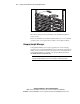
NOTE: For detailed information on procuring and installing the CD-ROM/diskette drive
assembly option kit for your ProLiant DL320 server, see Chapter 3, “Installing Hardware
Options.”