
ProLiant DL320 Setup and Installation Guide

xii Compaq ProLiant DL320 Setup and Installation Guide
Compaq Confidential – Need to Know Required
Writer: GSaldivar Project: Compaq ProLiant DL320 Setup and Installation Guide Comments:
Part Number: 203836-001 File Name: a-frnt.doc Last Saved On: 8/23/00 4:50 PM
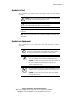
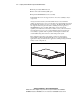
This symbol on an RJ-45 receptacle indicates a Network Interface
Connection.
WARNING: To reduce the risk of electric shock, fire, or damage to the
equipment, do not plug telephone or telecommunications connectors
into this receptacle.
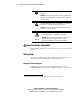
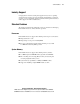
This symbol indicates the presence of a hot surface or hot component.
If this surface is contacted, the potential for injury exists.
WARNING: To reduce the risk of injury from a hot component, allow
the surface to cool before touching.
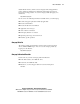
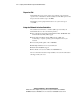
Weight kg
Weight lb
This symbol indicates that the component exceeds the
recommended weight for one individual to handle safely.
WARNING: To reduce the risk of personal injury or damage to the
equipment, observe local occupational health and safety
requirements and guidelines for manual material handling.
Important Safety Information
Before installing this product, read the Important Safety Information document
provided.
Getting Help
If you have a problem and have exhausted the information in this guide, you
can get further information and help in the following locations.
Compaq Technical Support
In North America, call the Compaq Technical Phone Support Center at
1-800-OK-COMPAQ
1
. This service is available 24 hours a day, 7 days a week.
1
For continuous quality improvement, calls may be recorded or monitored.