
ProLiant DL320 Setup and Installation Guide

Cabling Guidelines 5-7
Compaq Confidential – Need to Know Required
Writer: Gilbert Saldivar Project: Compaq ProLiant DL320 Setup and Installation Guide Comments:
Part Number: 203836-001 File Name: f-ch5 Cabling Guidelines.doc Last Saved On: 8/22/00 7:57 PM
Routing the Power Cord and Peripheral Device
Cables
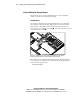
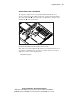
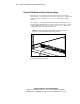
Cords and cables connected to the server rear panel are routed through a fixed
cable tray that prevents loose cabling in the rear of the rack and protects
connectors from damage that results when cables are disconnected improperly.
For detailed instructions on how to route cables through the fixed cable tray,
see “Securing the Cables in the Fixed Cable Tray” in Chapter 4, “Installing the
Server.”
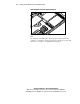
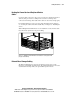
When multiple ProLiant DL320 servers are installed in a rack, the fixed cable
trays effectively organize the rear panel cabling.
Figure 5-5. Multiple ProLiant DL320 servers installed in a Compaq rack with
properly routed cabling
External Mass Storage Cabling
The ProLiant DL320 server supports external mass storage devices only
through an optional PCI expansion board. For detailed information, refer to the
documentation that ships with your optional PCI expansion board.