
ProLiant DL320 Server Maintenance and Service Guide

Removal and Replacement Procedures
2-36 Compaq ProLiant 320 Server Maintenance and Service Guide
COMPAQ CONFIDENTIAL Codename: DarkStar-T Part Number: 203834-003 Last Saved On: 12/28/01 9:29 AM
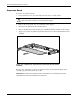
ATA Cables
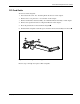
To remove the ATA cables:
1. Power down the server. See “Powering Down the Server” in this chapter.
2. Remove the access panel. See “Access Panel” in this chapter.
3. Remove the PCI riser board assembly. See “PCI Riser Board Assembly” in this chapter.
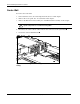
4. Remove the center wall. See “Center Wall” in this chapter.
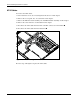
5. Disconnect the ATA cables from the ATA controller connectors on the module
.
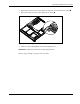
6. Disconnect the ATA cables from the hard drives
.
2
1
2
1
Figure 2-30: Disconnecting the ATA cables
Reverse steps 1 through 6 to replace the ATA cables.