
ProLiant DL320 Server Maintenance and Service Guide

Removal and Replacement Procedures
2-18 Compaq ProLiant 320 Server Maintenance and Service Guide
COMPAQ CONFIDENTIAL Codename: DarkStar-T Part Number: 203834-003 Last Saved On: 12/28/01 9:29 AM
Bezel
To remove the bezel:
1. Power down the server. See “Powering Down the Server” in this chapter.
2. Remove the access panel. See “Access Panel” in this chapter.
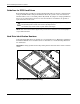
3. If necessary, remove the CD-ROM (DVD-ROM)/diskette drive assembly or blank. See
“CD-ROM/Diskette Drive Assembly,” or “DVD-ROM/Diskette Drive Assembly,” or
“Bezel Blank.”
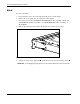
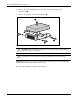
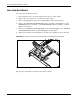
4. Remove the four bezel screws that secure the bezel to each side of the chassis.
Figure 2-12: Removing the bezel screws
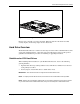
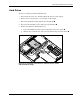
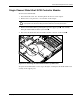
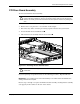
5. Release the latches from chassis tabs to lift the bezel out and away from the chassis .
IMPORTANT: Avoid damaging the light pipes on the user interface board when removing the bezel.