
ProLiant DL320 Server Maintenance and Service Guide

Removal and Replacement Procedures
Compaq ProLiant 320 Server Maintenance and Service Guide 2-17
COMPAQ CONFIDENTIAL Codename: DarkStar-T Part Number: 203834-003 Last Saved On: 12/28/01 9:29 AM
Bezel Blank
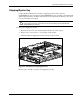
To remove the bezel blank:
1. Power down the server. See “Powering Down the Server” in this chapter.
2. Remove the shipping/ejector key from the chassis if you have not already done so. See
“Shipping/Ejector Key” in this chapter.
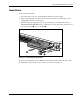
3. Insert the end of the shipping/ejector key approximately 1.25 cm (0.5 inch) into the
CD-ROM (DVD-ROM)/diskette drive assembly ejector port on the lower right corner of
the server front panel
to eject the blank .
1
2
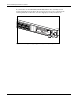
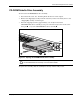
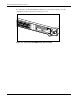
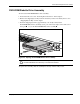
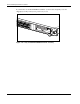
Figure 2-11: Removing the bezel blank
To replace the bezel blank, slide the blank into the empty bay until it locks into place. Store
the shipping/ejector key in the chassis or other safe location for future use.