
Compaq ProLiant DL320 Ultra-Dense Server Deployment in Compaq Racks

Compaq ProLiant DL320 Ultra-Dense Server Deployment in Compaq Racks 34
13AS-0900A-WWEN
Installing a Server in a Rack
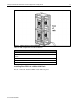
Install ProLiant DL320 servers in the rack from the bottom to the top. Tighten the thumbscrews
on the front of each server to secure the server to the rack.
If the rack uses the fixed rail solution, attach the installed fixed cable tray to the cable support
bracket. At the rear of the rack, fasten the server thumbscrew that secures the fixed cable tray to
the server.
WARNING: To reduce the risk of serious personal injury, fire, or damage to the
equipment:
• Extend the leveling jacks to the floor and rest the full weight of the rack on the
leveling jacks.
• Either install the stabilizer kit or couple multiple racks together for stability.
• Load the heaviest item first and load the rack from the bottom to the top. Loading the
rack in this manner makes the rack “bottom-heavy” and helps prevent the rack from
becoming unstable.
• Do not overload the AC supply branch circuit that provides power to the rack.
• Extend only one ProLiant DL320 server at a time. A rack may become unstable if
more than one ProLiant DL320 server is fully extended for any reason.
Installing Cables
The correct method for connecting cables and routing them to other devices depends on the type
of console management and cable management solutions configured in the rack. The console
management and cable management solutions determine cable lengths and cable routing. This
section discusses connecting and routing cables with different cable management solutions and
different console management solutions.
In-Rack Local Console
Use the following guidelines to install cables with in-rack local consoles.
Fixed Rail Rack Management Solution
Connect the cables to each device installed in the rack, working from the bottom to the top.
Beginning at the bottom of the rack, connect the cables to the bottom piece of equipment. Open
the cable tray clamp on the fixed cable tray. Bundle the cables and route them through the open
clamp. Close the cable tray clamp. Connect the cables to the console switchbox. Connect the
power cord to the PDU. Do not connect the PDU to any power source until all equipment is fully
deployed in the rack.
Refer to Compaq ProLiant DL320 Setup and Installation Guide for the recommended order for
connecting cables with the fixed cable tray.
When the cables are properly connected and routed through the cable management system, the
rear door of the rack closes easily over the cables. If the rear door does not close easily, additional
space may be required. Install the rack extension or the bustle kit to provide more space for the
cables at the rear of the rack.