
Compaq ProLiant DL320 Ultra-Dense Server Deployment in Compaq Racks

Compaq ProLiant DL320 Ultra-Dense Server Deployment in Compaq Racks 29
13AS-0900A-WWEN
Fixed Rail Rack Solution
The fixed server rails are pre-installed on the ProLiant DL320 server. Install the fixed cable tray
on the rack first and attach the cable support bracket to the fixed cable tray after the server is
installed in the rack.
Sliding Rails and Cable Management Solution
Open the Sliding Rails and Cable Management Solution kit and unpack the cable management
tray and the sliding rail assemblies. Attach the cable management tray to the rear of the cable
support bracket.
Remove the server rails from the sliding rack rails. Using a Torx screwdriver, remove the
standard fixed server rails from the server. Save the screws. Attach the Sliding Rails and Cable
Management Solution server rails to the server. Refer to the Sliding Rails and Cable Management
Solution Guide for Compaq ProLiant DL320 Servers included in the rack option kit for complete
server rail installation instructions cable bracket and cable tray installation instructions.
Third-Party Rack Cabinet Solution
The fixed cable tray included with the ProLiant DL320 server and the fixed server rails that are
pre-installed on the ProLiant DL320 server are compatible with the Third-Party Rack Cabinet kit.
Install the fixed cable tray on the rack first and attach the cable support bracket to the fixed cable
tray after the server is installed in the rack.
Telco (Telecommunications) Rack Solution
The Telco Rack kit includes replacement server rails designed to fit on the ProLiant DL320
server. Before deploying ProLiant DL320 servers into a Telco rack, remove the standard server
rails and replace them with the Telco server rails included in the Telco Rack kit.
Installing Power Distribution Units (PDUs)
PDU installation varies depending on the rack configuration, the number of servers deployed in
the rack, the selected type of PDU, and the voltage and current rating for each PDU. The 295363
series of PDUs must be mounted vertically in the side panels of the rack. See the “Power
Distribution Units ” section earlier in this paper for information about the Vertical-Mount PDU
Bracket kits available from Compaq. The installation card in the Vertical-Mount PDU Bracket kit
contains detailed instructions for installing the Vertical-Mount PDU Brackets on a PDU and in a
rack.
Positioning PDUs in 22U, 36U and 42U Racks
The position of the PDUs in the rack side panels depends on the rack size, the number of servers
deployed in the rack, and the cable management solution. As a general rule, install PDUs from
the bottom to the top on the same side of the rack as the cable management tray (viewing the rack
from the front).
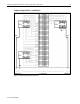
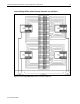
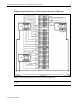
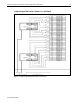
The following sections explain installation positions for different PDU configurations.
Installing One PDU in a 22U Rack
Use the following guidelines to install PDUs in a 22U rack.