
Compaq ProLiant DL320 Service Update



Compaq ProLiant DL320 Service Update 12
Rev. 1.0 Page 12 of 17
Step Action
5.
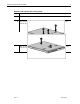
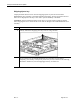
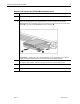
CAUTION: Scrape thermal interface material off of the processor carefully to avoid
damaging the processor. Store the processor in a static-free environment after
removing it from the server.
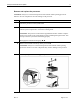
CAUTION: Remove the plastic cover to expose the adhesive side of the thermal pad
on the new heatsink before placing the heatsink on the processor. The system will not
continue to operate if the plastic cover is left in place.
If you intend to reuse the processor, carefully scrape the thermal pad from the
processor surface and apply a new thermal pad and heatsink before reseating the
processor.
Reverse steps 1 through 6 to reinstall the processor and heatsink.