
HP ProLiant DL320 G6 Server Maintenance and Service Guide



Removal and replacement procedures 52
3.
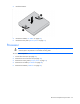
Install the heatsink.
4. Install the air baffle ("Air baffle" on page 28).
5. Install the access panel ("Access panel" on page 27).
Processor
WARNING: To reduce the risk of personal injury from hot surfaces, allow the drives and the
internal system components to cool before touching them.
To remove the component:
1. Power down the server (on page 25).
2. Remove the server from the rack (on page 26).
3. Remove the access panel ("Access panel" on page 27).
4. Remove the air baffle ("Air baffle" on page 28).
5. Remove the heatsink ("Heatsink" on page 50).