
HP ProLiant DL320 G6 Server Maintenance and Service Guide




Removal and replacement procedures 45
5.
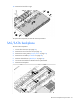
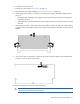
Remove the cache battery.
6. Disconnect the battery pack.
To replace the component, reverse the removal procedure.
Recovering data from the battery-backed write cache
If the server fails, use the following procedure to recover data temporarily stored in the BBWC.
CAUTION: Before starting this procedure, read the information about protecting against
electrostatic discharge ("Preventing electrostatic discharge" on page 23).
1. Perform one of the following:
o Set up a recovery server station using an identical server model. Do not install any internal drives or
BBWC in this server. (HP recommends this option.)