HP ProLiant DL320 Generation 5p Server User Guide
Manuals
Brands
HP Manuals
Server
HP ProLiant DL320 G5p Special Rack Server
31
32
33
34
35
36
37
38
39
40
Hardware options
installation 37
5.
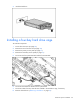
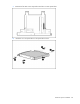
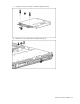
Using a T-15 Torx screwdriver, remo
ve the 12.7-mm optical drive carrier.
6.
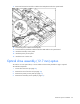
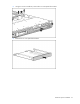
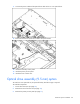
Remove the 12.7-mm optical drive blank.
1
...
...
35
36
37
38
39
...
...
106