
HP ProLiant DL320s Server Maintenance and Service Guide

Server component identification 47
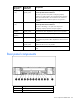
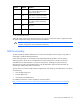
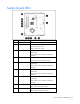
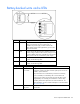
Item LED description Status
10 DIMM 3 Amber = DIMM has failed.
Off = DIMM is operating normally.
11 DIMM 2 Amber = DIMM has failed.
Off = DIMM is operating normally.
12 DIMM 1 Amber = DIMM has failed.
Off = DIMM is operating normally.
13 Power supply signal Green = System board power is normal.
Off = System board power has failed.
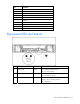
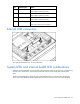
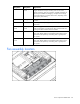
Internal USB connectors
See "Internal USB functionality" for more information.
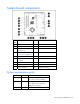
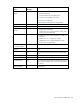
System LEDs and internal health LED combinations
When the internal health LED on the front panel illuminates either amber or red, the server is experiencing
a health event. Combinations of illuminated system LEDs and the internal health LED indicate system
status.
The front panel health LEDs indicate only the current hardware status. In some situations, HP SIM may
report server status differently than the health LEDs because the software tracks more system attributes.