
HP ProLiant DL320s Server Maintenance and Service Guide

Removal and replacement procedures 28
8.
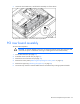
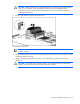
Tilt the backplane up from the bottom, and lift it out of the chassis.
To replace the components, reverse the removal procedure.
Heatsink
To remove the component:
WARNING: To reduce the risk of personal injury from hot surfaces, allow the drives and the
internal system components to cool before touching them.
CAUTION: To prevent thermal instability and damage to the server, do not separate the
processor from the heatsink. The processor, heatsink, and retaining clip make up a single
assembly.
CAUTION: To prevent possible server malfunction, do not mix processors of different speeds or
cache sizes. Refer to the label on the processor heatsink for a description of the processor.
1. Power down the server (on page 21).
2. Extend the server from the rack (on page 21).
3. Remove the server from the rack (on page 22).
4. Remove the access panel ("Removing and replacing the access panel" on page 22).
CAUTION: Always use a new heatsink when replacing processors. Failure to use new
components can cause damage to the processor.
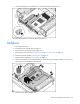
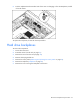
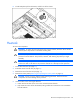
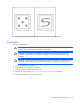
5. Loosen the four screws securing the heatsink.
a. Loosen each screw three or four turns in the counterclockwise direction.
b. Fully loosen the screws to free the heatsink, being careful not to remove the screw assemblies
from the heatsink.