
ProLiant DL320 Generation 3 Server User Guide
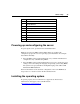
Table Of Contents
- HP ProLiant DL320 Generation 3 Server User Guide
- Notice
- Contents
- Server component identification
- Server operations
- Powering up the server
- Powering down the server
- Preparation procedures
- Extending the server from the rack
- Removing the access panel
- Installing the access panel
- Removing the PCI riser board assembly
- Installing PCI riser board assembly
- Removing the hot-plug SATA backplane
- Removing the fan assembly
- Installing the fan assembly
- Server setup
- Hardware options installation
- Server cabling
- Server software and configuration utilities
- Battery replacement
- Troubleshooting
- Electrostatic discharge
- Regulatory compliance notices
- Regulatory compliance identification numbers
- Federal Communications Commission notice
- Declaration of conformity for products marked with the FCC logo, United States only
- Modifications
- Cables
- Mouse compliance statement
- Canadian notice (Avis Canadien)
- European Union regulatory notice
- Japanese notice
- BSMI notice
- Korean notice A&B
- Laser compliance
- Battery replacement notice
- Taiwan battery recycling notice
- Power cord statement for Japan
- Server specifications
- Technical support
- Acronyms and abbreviations
- Index

Server setup 33
WARNING: To reduce the risk of personal injury or
equipment damage when unloading a rack:
• At least two people are needed to safely unload the rack from
the pallet. An empty 42U rack can weigh as much as 115 kg
(253 lb), can stand more than 2.1 m (7 ft) tall, and may become
unstable when being moved on its casters.
• Never stand in front of the rack when it is rolling down the ramp
from the pallet. Always handle the rack from both sides.
Identifying the server shipping carton contents
Unpack the server shipping carton and locate the materials and documentation
necessary for installing the server. All the rack mounting hardware necessary for
installing the server into the rack is included with the rack or the server.
The contents of the server shipping carton include:
• Server
• Printed setup documentation, Documentation CD, and software products
• Power cord
• Rack mounting hardware kit and documentation
In addition to these supplied items, you may need:
• Application software CDs or diskettes
• Options to be installed
• Phillips screwdriver
Installing hardware options
Install any hardware options before initializing the server. For options installation
information, refer to the option documentation. For server-specific information,
refer to "Hardware options installation (on page 37
)."